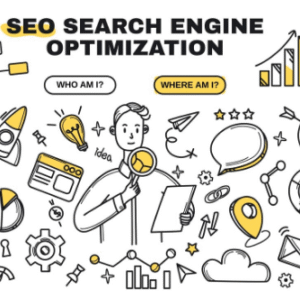
Whether you are launching your app for Android on the Google Play Store or for iOS on the Apple App Store, success largely depends on how well your app is optimized for visibility, downloads, and user engagement. Mobile App Optimization—often referred to as App Store Optimization (ASO)—is the backbone of sustainable app growth. With millions of apps competing for user attention, your app needs more than just functionality; it needs strategic optimization to stand out.
This comprehensive Google Play and iPhone Store Mobile App Optimization Guide will walk you through everything you need to know to improve ranking, attract targeted users, enhance conversions, and grow your app organically.
1. Understanding Mobile App Optimization (ASO)
App Store Optimization (ASO) is the process of improving your app’s visibility in app stores so users can find and download it. Similar to SEO for websites, ASO focuses on:
-
Improving keyword rankings
-
Increasing organic downloads
-
Enhancing app visibility
-
Boosting user engagement
-
Strengthening brand credibility
While both Google Play Store and Apple App Store aim to show users the most relevant, high-quality apps, their ranking algorithms differ, so your optimization strategy must be tailored to each platform.
2. Why ASO Matters for Your Mobile App
2.1 Organic Traffic Is the Highest-Converting Traffic
Around 65–70% of app downloads come from organic searches inside the app stores. Effective ASO ensures your app’s listing appears in front of users searching for apps like yours.
2.2 Reduces User Acquisition Costs (UAC)
Paid ads can bring users, but they are costly. ASO gives you a long-term, cost-efficient method to acquire users consistently.
2.3 Improves App Visibility & Competitiveness
With millions of apps available, visibility is your biggest challenge. ASO increases your chances of appearing in:
-
Top charts
-
Search results
-
Category recommendations
-
“Similar apps” sections
2.4 Higher Conversion Rates
Optimized app listings (title, screenshots, reviews) convert more users. Even a 10% improvement in conversion can lead to a significant increase in overall downloads.
2.5 Supports Long-Term Growth
ASO builds a strong foundation that supports updates, cross-promotions, and paid campaigns.
3. Key Differences Between Google Play Store & Apple App Store Optimization
Before diving into optimization techniques, it’s important to understand how both platforms operate differently.
3.1 Keyword Targeting
-
Google Play: Works like SEO. Google indexes your app description for keywords.
-
Apple App Store: Uses a separate 100-character keyword field. The description does not affect keyword ranking.
3.2 App Review Process
-
Google Play: Faster approval, mostly automated.
-
Apple App Store: Strict manual review, slower approval process.
3.3 Visual Requirements
-
Google Play allows promotional videos (YouTube).
-
Apple requires App Preview Videos based on specific guidelines.
3.4 Metadata Limits
-
Google: 50-character title, 80-character short description, 4,000-character full description.
-
Apple: 30-character title, 30-character subtitle, 4,000-character full description.
3.5 A/B Testing
-
Google Play has built-in A/B testing for screenshots, icons, and descriptions.
-
Apple requires third-party tools or phased rollouts.
4. Essential ASO Factors for Google Play and Apple App Store
To optimize your app effectively, focus on both metadata optimization and creative optimization.
5. Keyword Research for Mobile App Optimization
Keyword research is the foundation of ASO. Your target keywords must match:
-
User intent
-
App functionality
-
Market competition
5.1 Useful Tools for ASO Keyword Research
-
App Annie
-
Sensor Tower
-
MobileAction
-
App Radar
-
Keyword Tool.io (App Keyword Section)
-
Google Keyword Planner (for identifying audience interests)
5.2 Types of ASO Keywords
Primary Keywords
These represent your app’s main functionality.
Example: “photo editor,” “fitness tracker”
Secondary Keywords
These describe features and benefits.
Example: “AI filters,” “step counting app”
Long-Tail Keywords
Low competition, high intent.
Example: “photo editor for beginners,” “free step counter offline”
6. Title, Subtitle & Description Optimization
Your metadata directly impacts discoverability.
6.1 App Title Optimization
Google Play
-
50 characters max
-
Include main keyword
-
Keep brand name first
Example:
SnapEdit – AI Photo Editor
Apple App Store
-
30 characters max
-
Prioritize brand + main keyword
Example:
SnapEdit: AI Photo Fixer
Best Practice: Avoid keyword stuffing. Make it natural and user-friendly.
6.2 Subtitle (iOS Only)
The subtitle affects search ranking significantly.
Ideal Format:
Feature + Benefit + Keyword
Example:
“Remove Backgrounds Instantly with AI”
6.3 Short Description / Promo Text
Google Play Short Description (80 characters)
This impacts conversions heavily.
Example:
“AI-powered photo editor to enhance, retouch, and transform your images.”
Apple Promo Text (170 characters)
Used to announce updates, promotions, or new features.
6.4 Long Description Optimization
Google Play
Google indexes keywords in the long description—similar to SEO content.
Best Practices:
-
Use target keywords naturally
-
Add feature-based bullet points
-
Highlight benefits
-
Maintain clear structure
-
Insert call-to-actions (“Download now,” “Try for free”)
Apple App Store
Keywords in the long description do NOT affect rankings.
However, it improves conversion through clear value messaging.
7. Optimizing Visual Elements (Creative Assets)
Visual content significantly affects app install conversions.
7.1 App Icon Optimization
Your app icon must be:
-
Clean
-
Recognizable
-
Simple
-
Contrast-rich
-
Brand-consistent
Google allows A/B testing for icons. Apple does not.
7.2 App Screenshots
Best Practices:
-
Showcase key app features
-
Highlight value propositions
-
Add captions or short texts
-
Use the first 3 screenshots strategically—users see them first
-
Use vertical images for iOS; horizontal works better for gaming apps
7.3 App Preview Videos
Google Play
-
Uses YouTube videos
-
No strict format requirements
Apple App Store
-
Requires specific screen recordings
-
Must demonstrate real app usage
Preview videos increase engagement and drive higher conversion rates.
8. Reviews, Ratings & Reputation Management
User feedback is a critical ranking factor.
8.1 Why Ratings Matter
Apps with higher ratings:
-
Rank better
-
Have higher conversion rates
-
Appear more trustworthy
8.2 How to Improve Reviews & Ratings
-
Use in-app prompts at the right time (after task completion)
-
Avoid asking for reviews during errors
-
Respond to user feedback
-
Fix bugs quickly
-
Release regular updates
8.3 Google Play Advantage
Google displays rating trends (improving or declining), influencing user decisions.
9. Localization for Global Audience Growth
Localization isn’t just translation—it’s adapting your app for cultural relevance.
Benefits of Localization:
-
Higher discoverability
-
Increased organic downloads
-
Better user experience
-
Higher revenue potential
Elements to Localize:
-
Title
-
Keywords
-
Description
-
Screenshots
-
Videos
-
App content (optional but recommended)
Global markets like Japan, Germany, Korea, Brazil, and Indonesia offer massive potential.
10. App Category Optimization
Choosing the right category impacts:
-
Search ranking
-
Featured placements
-
Competition environment
Best Practices:
-
Choose the most relevant category
-
Avoid overly broad categories
-
Evaluate which categories your competitors rank best in
11. App Store A/B Testing
Testing helps optimize conversions.
Google Play Experiments
You can test:
-
Icons
-
Screenshots
-
Short description
-
Feature graphics
Apple Store
Use TestFlight or third-party tools like SplitMetrics.
Always test one element at a time to measure accurate results.
12. Technical App Quality Optimization
12.1 App Performance
Both stores prioritize apps that:
-
Load fast
-
Crash less
-
Are regularly updated
-
Provide smooth user experience
12.2 App Size
Smaller apps often see higher download rates.
12.3 Compliance with Store Guidelines
Violating guidelines leads to penalties or removal.
13. Understanding App Store Algorithms
Google Play Algorithm Factors
-
Download volume
-
Keyword usage
-
App performance
-
Uninstall rate
-
User reviews
-
Engagement signals
Apple App Store Algorithm Factors
-
Title + subtitle keywords
-
Click-through rate
-
Conversion rate
-
Ratings & reviews
-
App updates
-
App downloads
14. App Update Optimization Strategy
Updating your app regularly signals:
-
Active development
-
Improved quality
-
Better user experience
Add keyword variations in update notes, especially on Google Play.
15. External ASO Boosting Strategies
15.1 Social Media Marketing
Drive traffic from:
-
Instagram
-
TikTok
-
YouTube
-
Reddit
-
Twitter/X
15.2 Influencer Marketing
App-first influencers boost trust and downloads.
15.3 Website SEO & App Landing Page
Create a landing page featuring:
-
App highlights
-
Screenshots
-
Download links
This improves both SEO and app installs.
15.4 Press Releases & App Review Websites
Submit your app to:
-
Product Hunt
-
AppAdvice
-
Tech blogs
These generate external backlinks and traffic.
16. Tracking ASO Performance
Use ASO tools to track:
-
Keyword rankings
-
Downloads
-
Conversion rates
-
User behavior
-
Competitor movements
Tools include:
-
App Annie
-
MobileAction
-
AppFollow
-
Sensor Tower
-
Firebase
17. Common ASO Mistakes to Avoid
-
Keyword stuffing
-
Using irrelevant categories
-
Low-quality screenshots
-
Misleading app descriptions
-
Ignoring user reviews
-
Infrequent updates
-
Poor UI/UX
-
Duplicate content across localized markets
18. Final Thoughts: Optimizing for Both Google Play & Apple App Store
The Google Play and iPhone Store Mobile App Optimization Guide highlights an important truth: ASO is not a one-time process—it’s a continuous growth strategy.
To succeed:
-
Understand how both stores’ algorithms work
-
Optimize your metadata and creative assets
-
Conduct regular keyword research
-
Improve ratings and user feedback
-
Localize your app for global markets
-
Track performance regularly
-
Use A/B testing to maximize conversions
When executed with consistency, ASO increases visibility, boosts installs, enhances user satisfaction, and drives long-term app profitability.